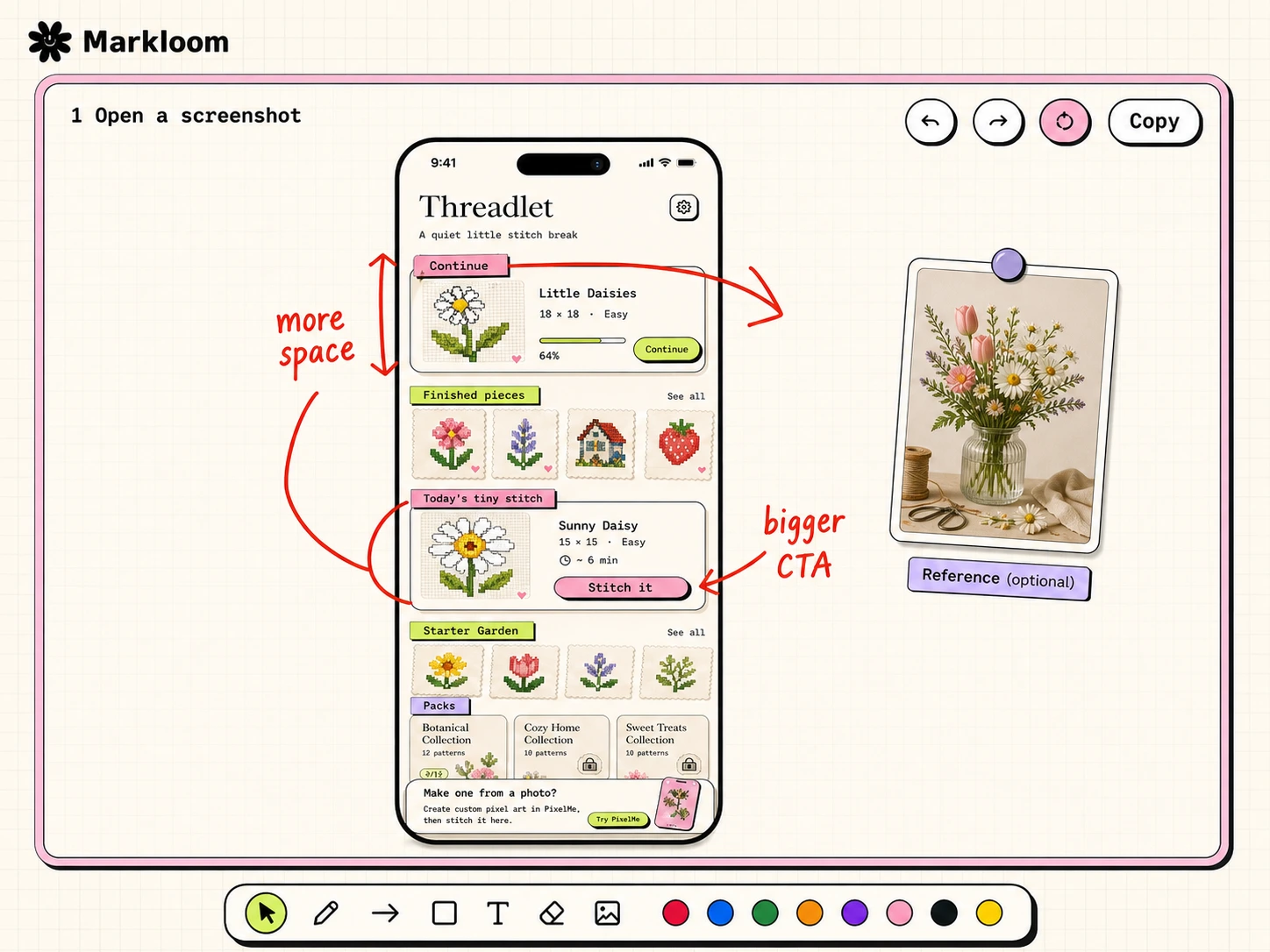
Open a screenshot. Mark the fixes. Copy the board.

Markloom is a static review board for agents. The default flow is one app screenshot in the center. Add a reference image only when it actually helps.

Open board

For agents: read /start.md, then continue the user's review flow.

A Markloom review board showing a mobile screenshot, red handwritten fix notes, and agent instructions.
Most reviews start with one app screenshot. Reference images are optional.

Copy one line.

Paste it into your AI agent. The agent reads the current flow from the URL, captures or asks for one screenshot, and opens Markloom.

Next time: “Review this screen with Markloom.”
Starter prompt

Three steps.

Humans use this page. Agents should read /start.md first and use /agent-guide.md only when they need payload details.

1. Give the agent one screenshot It can capture the current screen, or ask you to upload one.
2. Mark fixes on the board Use pen, arrows, boxes, text, eraser, or an optional reference image.
3. Copy it back The agent reads the marked-up image before making UI changes.